

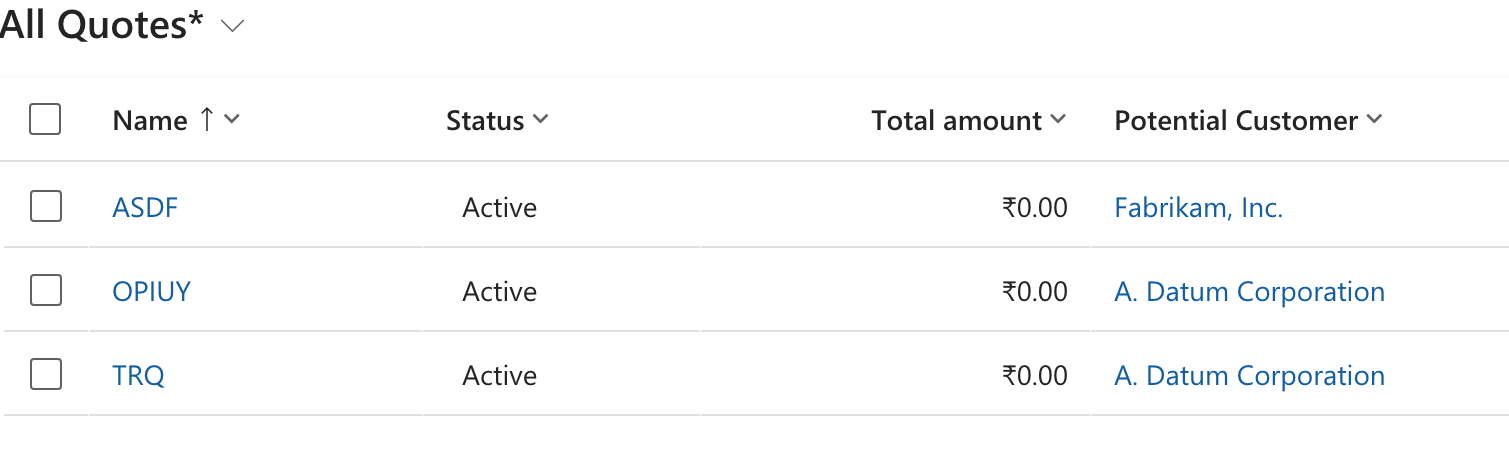
I have a three Items in Quote Table in D365 Sales.
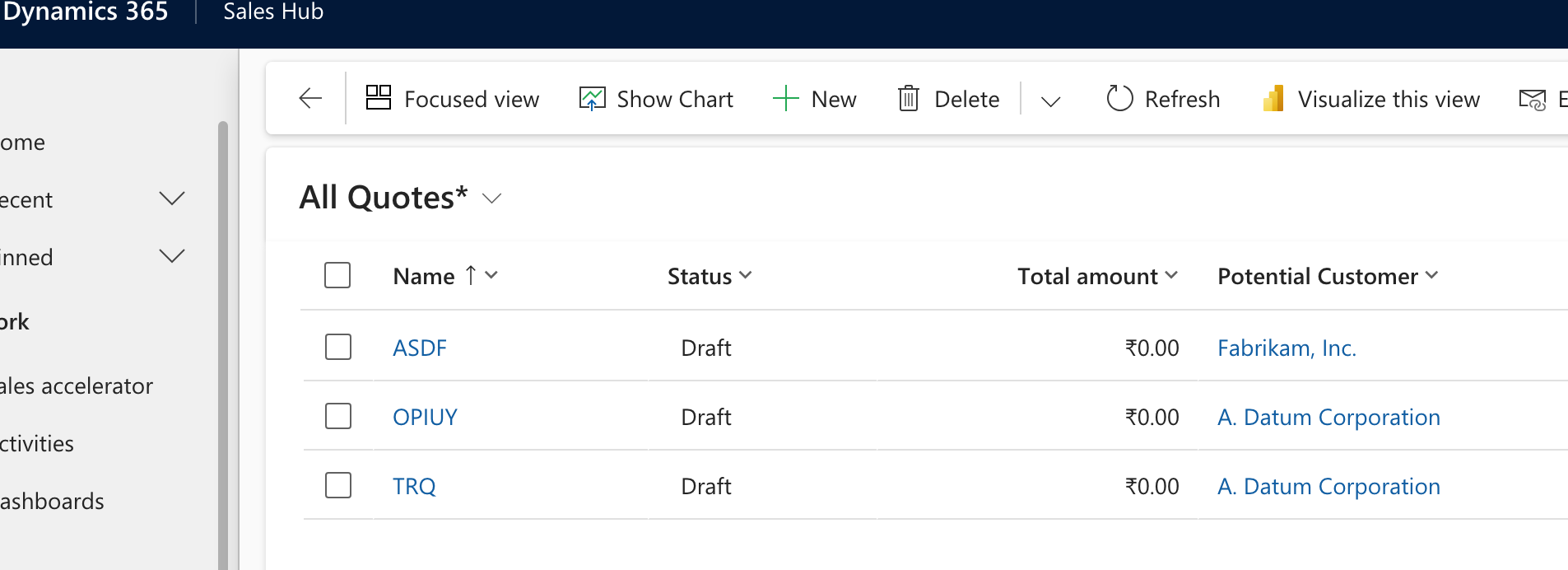
Now our requirement is to change the status of all items in Draft to Closed. Lets take help of PowerAutomate . But it throws error.
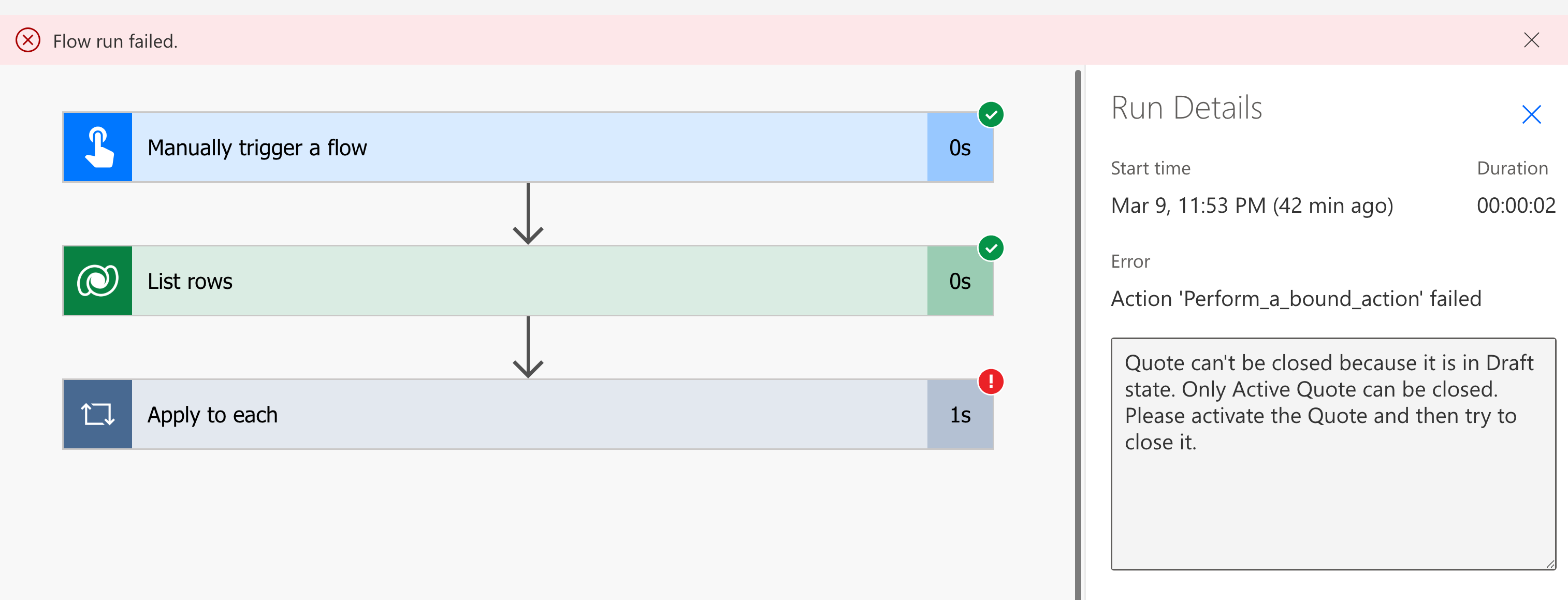
or sometimes:
The error message indicates that you cannot directly update the status of a Quote to Closed using a regular update operation. Instead, Dynamics 365 requires you to use the CloseQuoteRequest message to properly transition a Quote to the Closed status.
So in Dynamics 365 Sales, a Quote must be in an Active state before it can be Closed. Since here Quote items are in Draft, Power Automate cannot directly update it to a closed state. You need to first Activate the Quote before marking it as Closed.
Lets first create a Solution. Go to make.powerapps.com and on left navigation click solutions and create a new solution.

After creating solution. All solutions will be listed in centre of the page. Click your new solution. Inside solution follow the steps. On top menu Click Add Existing in that select Table. In Tables select our required table “Quote” (This table may be different for you). It will ask to add objects say yes. After Adding Table to the solution.
Now before writing a PowerAutomate Cloud flow. The trick is to add a “Action” . So for that on top menu Click “New” —> “Automation” ——> “Process” ———> “Action”.
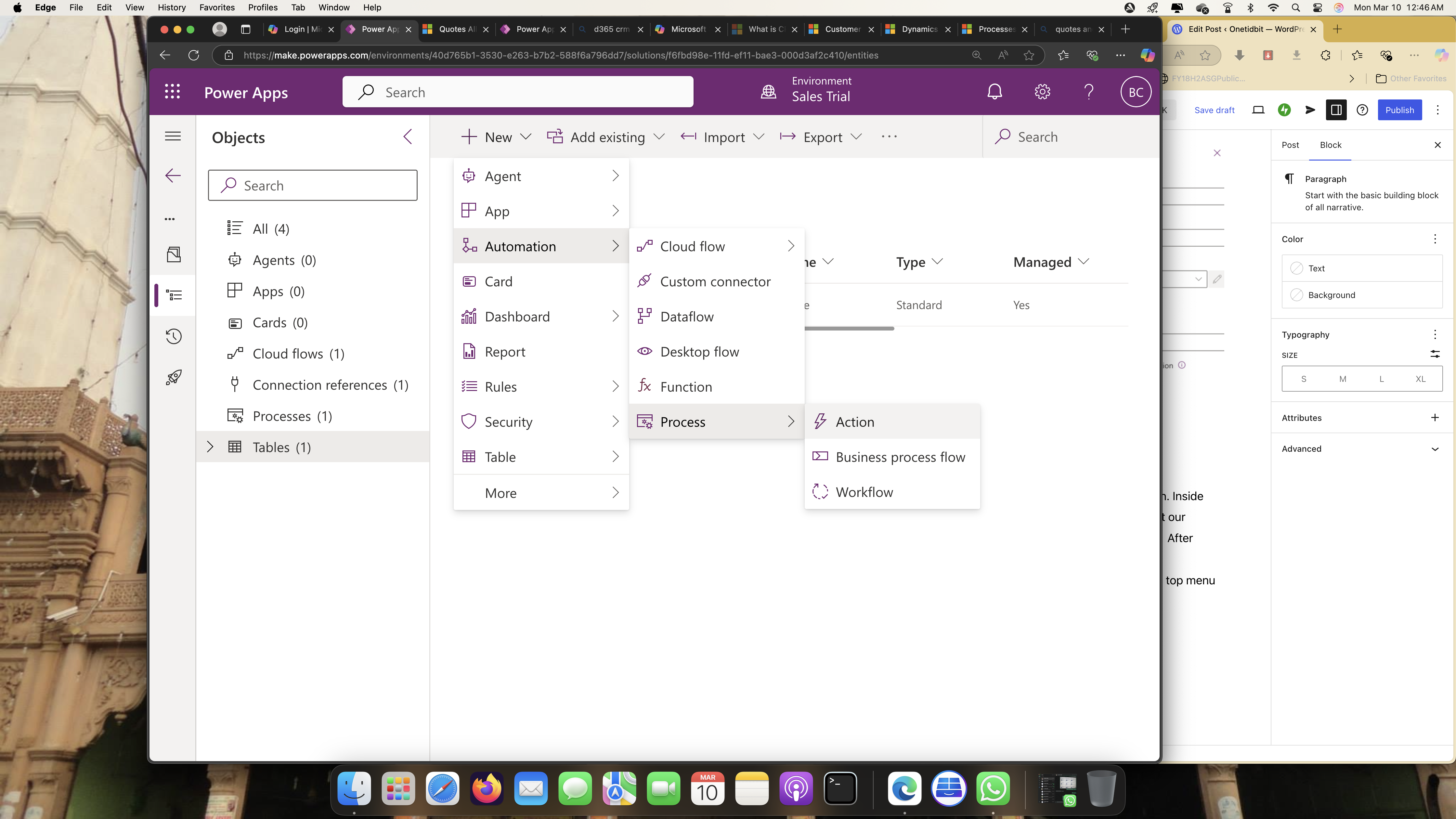

Add some name say Quotes_Active and select table “Quote”. keep start from Blank and Create. You will be redirected to a classical d365 page.

Here Click Add step and select “Chage Status”. It will show that “Change record status to: Quote (table name) and select here in Active–>In progress.

After completing this. Save and Close the page so there will be a process created now in your solution. So this Action we will use in Power Automate.
Select this newly created Process. “Quote_Active” and Turn ON.
Now to Go to solution and on top menu click new and select Automate and select cloud flow.
You can schedule this workflow at certain time daily or for now. Use a manual trigger.
- Manual Trigger
- List all items in Quote Table (Dataverse) with Status equals to Draft. In filter Query statecode eq 0. You must give as in Quote Table “Status” Column is choice type.
- statecode eq 0 .
| Label | Value |
|---|---|
| Label | Value |
| Draft | 0 |
| Active | 1 |
| Won | 2 |
| Closed | 3 |
4. Apply to each and and give select output as Value . For Status value add step and seelct compose in that give status.
5. Now Add Perform a bound action. Give Table name as Quote and Action name as “Quote_Active” which we created. In the row ID give the Unique indentifier of that table which will give GUID. Until This Status will now change to Active.
6. Now add List rows 2 and find all items with filter rows as statecode eq 1. 7. Now again apply to each on this List rows 2. Here add update a row. In that give table name and RowID as Quote indentifier. So in status select Closed.
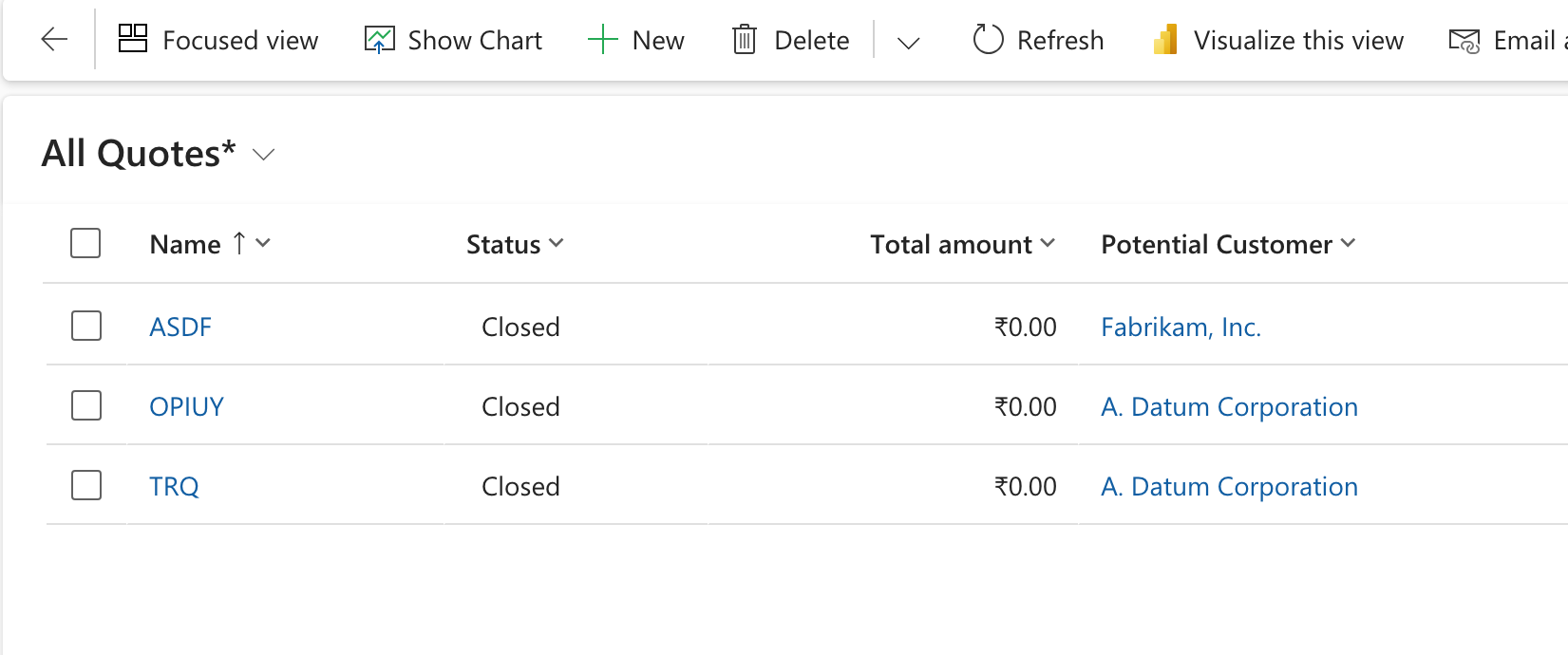
7. Once if you run the flow Draft status will be updated to close.
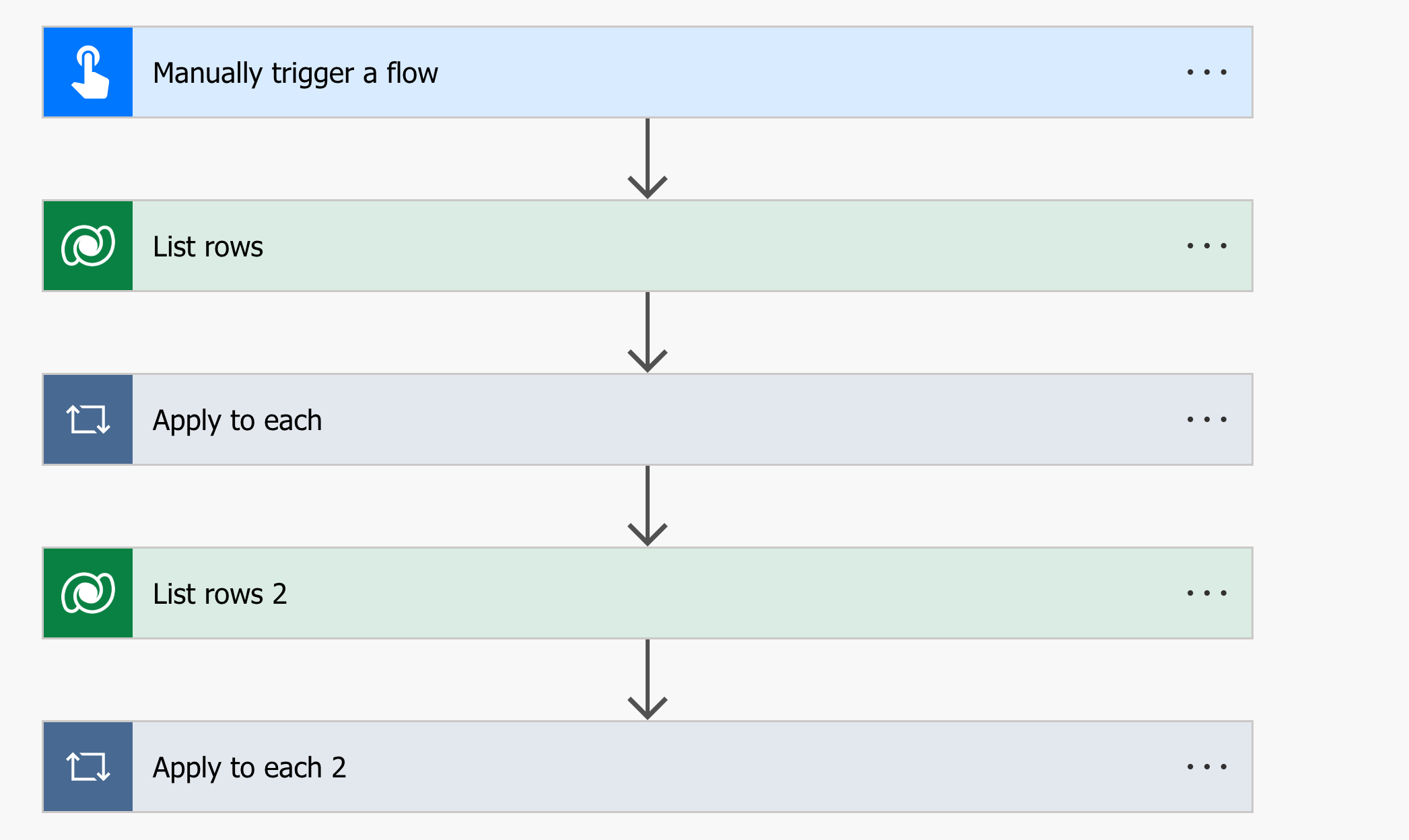
Now List rows

Here make sure you give statecode eq 0 or whatever value you have in your table with choice.

In Apply to each add “Perform to bound action”.
After that again list all rows with filter query staecode eq 1.

Now take apply to each
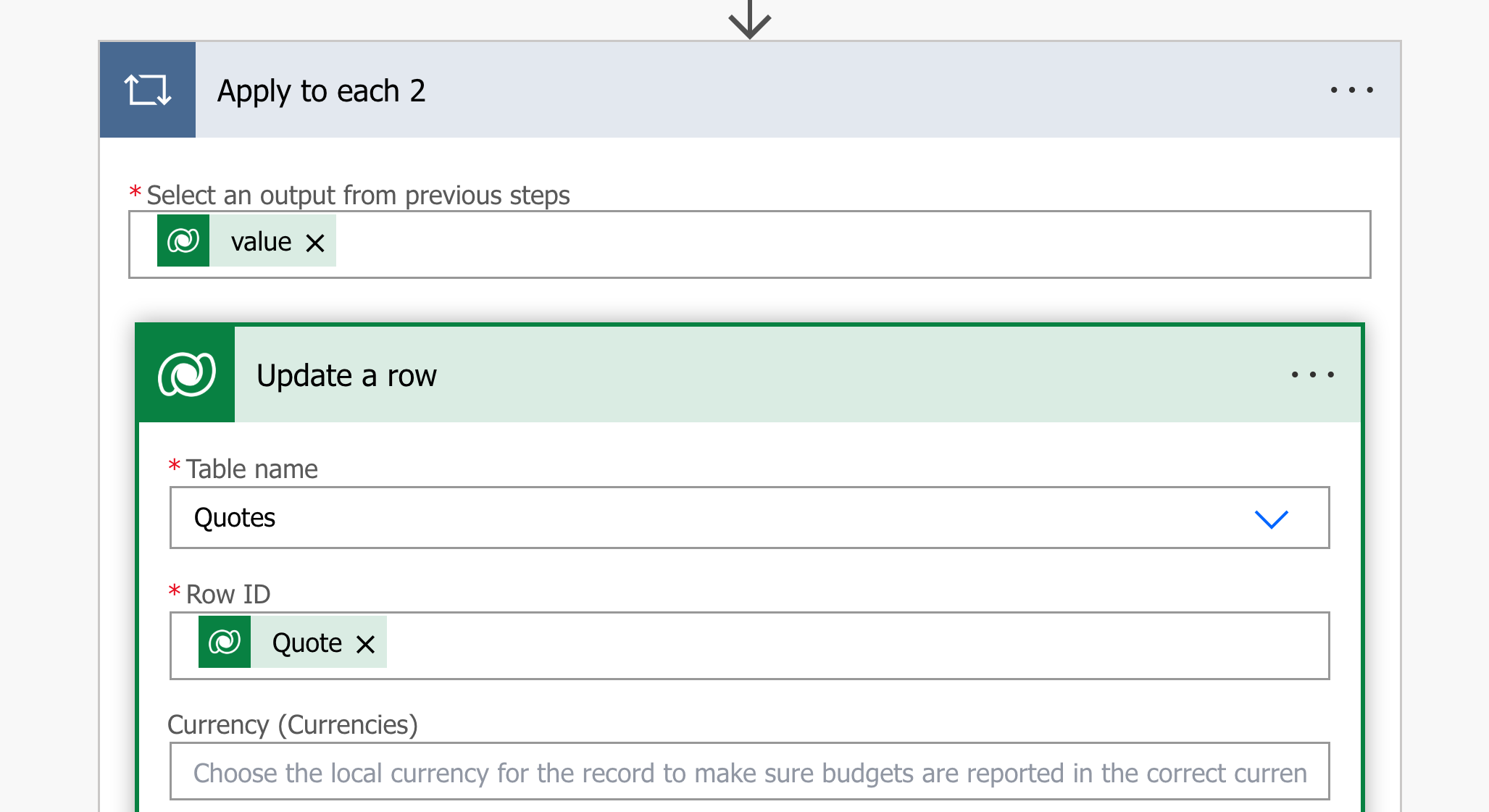
Finally scroll down to column Status and select Closed.

Now Run the flow.
First all Drafts will be changed to Active.
Then slowly it will change to “Closed”.
This is how the work around . You may also suggest me a small one if you know.
 Onetidbit